Open In
Hand the current viewport off to other web map viewers — River-REM, Search-EO, ESRI Wayback, Google Earth/Maps, BBBike, or your own URL template
The Open in … split button (bottom of the General section; also in the historical timeline footer) opens the current viewport in another web viewer, carrying the camera position over so you land on the same spot. Picking a destination from the dropdown opens it immediately and remembers it as the default for the main button.
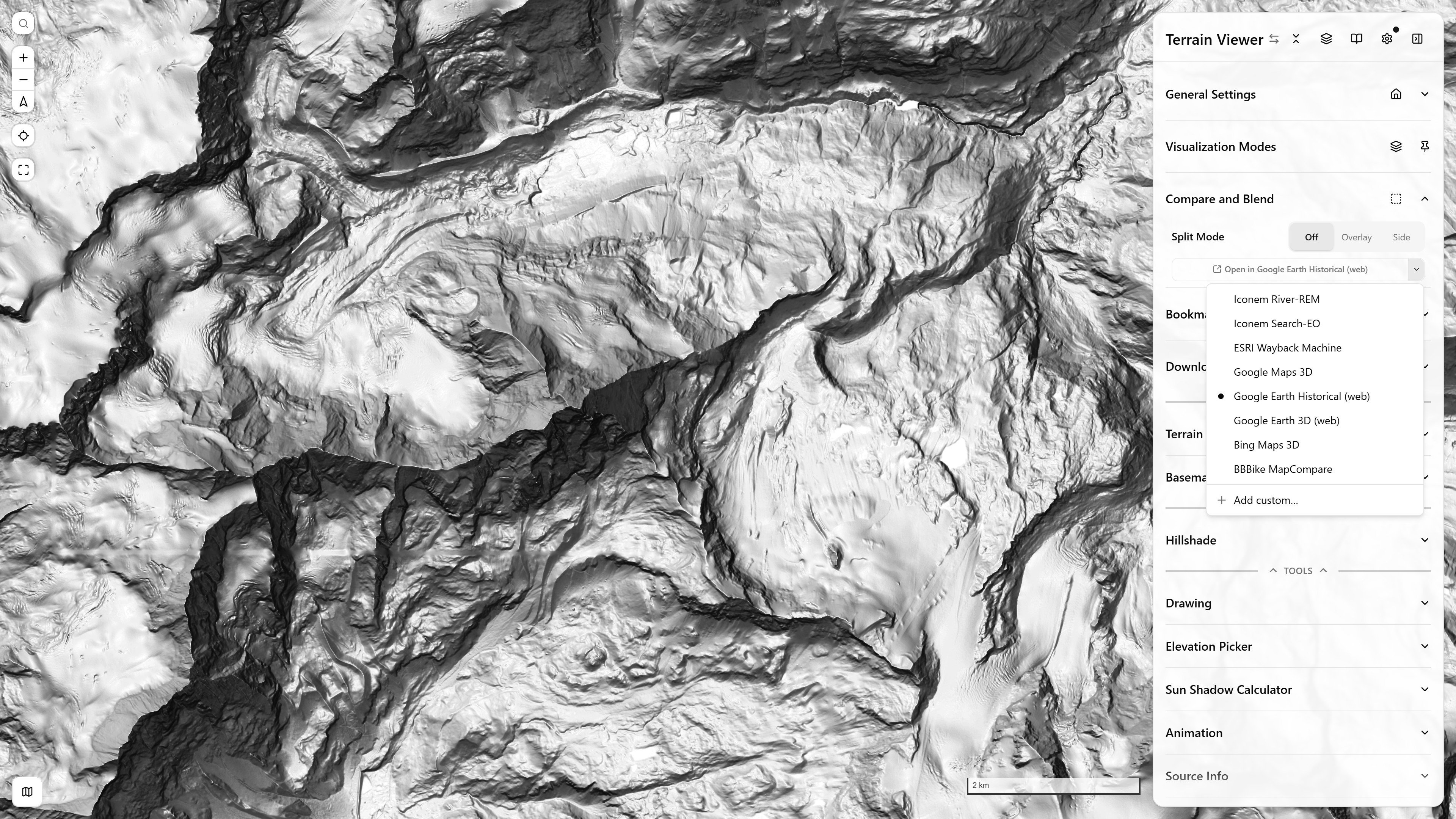
The Open in launcher — the main button opens the remembered destination, the arrow lists the others and Add custom…
Destinations
- Iconem River-REM — rem.prod.heritagewatch.ai — river-relative elevation models (REM) for the river in view
- Iconem Search-EO — search-eo-imagery.iconem.com — search commercial/open EO imagery catalogs over the area
- ESRI Wayback Machine — livingatlas.arcgis.com/wayback — opens on the newest Wayback release at this location (the same archive the app's own historical timeline scrubs)
- Google Maps 3D — google.com/maps — Maps' photorealistic 3D globe layer, tilted view
- Google Earth Historical (web) — earth.google.com/web — top-down with the historical-imagery layer enabled
- Google Earth 3D (web) — earth.google.com/web — oblique 3D framing, no historical layer
- BBBike MapCompare — mc.bbbike.org/mc — four basemaps of the same viewport side by side
The zoom-to-camera translation is destination-specific — e.g. the Google Earth/Maps links convert the map zoom into a viewing altitude, and ESRI Wayback gets the latest release id resolved live for the current location.
Custom destinations
Add custom… accepts your own URL template with either placeholder family:
{lat}/{lng}/{zoom}— e.g.https://example.com/?lat={lat}&lng={lng}&zoom={zoom}- slippy-tile
{z}/{x}/{y}— e.g.https://example.com/#{z}/{x}/{y}
Custom entries appear in the same dropdown and can be removed from it at any time.